Interpret entry and exit pages
Check entry pages and exit pages in Matomo. Find where visits start and finish, compare specific URLs and interpret each page’s exit rate.
Content checked on 08.11.2026
At a glance
The entry page is the first recorded page of a visit; the exit page is the last. For a specific URL, the exit rate divides exits by unique pageviews. What the page is intended to do determines the next useful check.
In this article
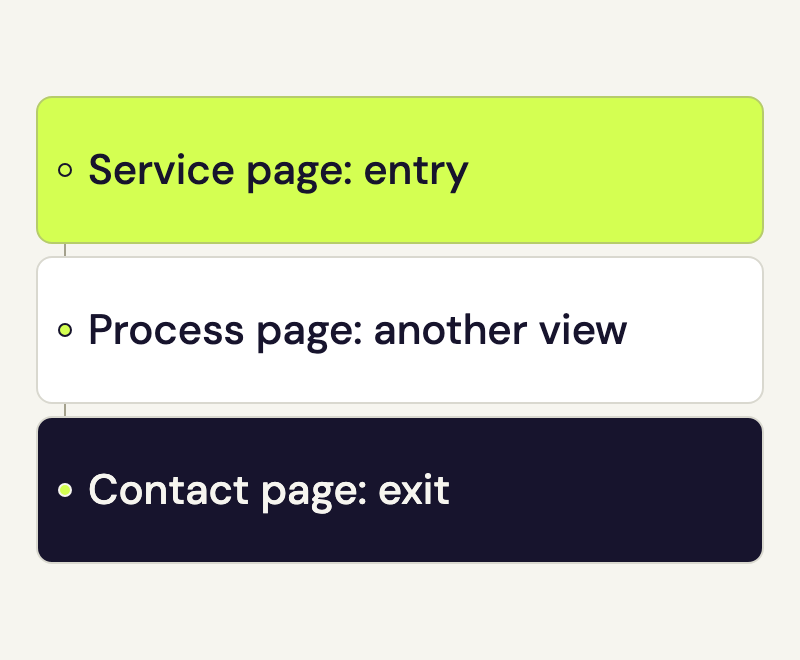
A campaign sends people directly to your service page. A visit continues to the process page and then to contact. In this example, the service page is the entry and the contact page is the exit. The process page was viewed too, but it was neither first nor last.
Open entry pages and exit pages
- Open the full Matomo interface from your speo account. Choose the website and date range.
- Go to Behaviour > Entry pages for the first pages of visits. Open Behaviour > Exit pages for the last pages.
- Find the specific URL. Expand the domain and folders if necessary. Keep the same website, date range and segment selection when comparing reports.
The Entrances column counts visits that started on that page. Going straight to a subpage is normal: a search result, newsletter or bookmark can lead there directly. The home page does not need to be part of that visit.
Read the exit rate for a specific URL
The exit report includes Exits, Unique Pageviews and Exit rate. For a specific URL, Matomo divides exits by unique pageviews. Repeated views of that URL during the same visit do not increase the unique value again.
The rate therefore concerns visits that included this page. It is neither a share of all visits to the website nor an error rate. Rows that group a folder should not be treated as the row for an individual page.
Consider what the page is meant to achieve
An exit from an enquiry confirmation page may fit a completed task. On a service page, you may want the visit to continue to pricing or contact details. An exit by itself cannot tell you whether someone found their answer or gave up.
A click on a PDF or an external booking link can also be the intended next step. Check those actions in the download and outbound-link reports. A confirmed form submission or completed booking needs an appropriate success measurement of its own.
A visit can include several pages before ending on the one you are examining. The bounce rate and visit duration guide explains how bounces are counted.
Investigate unusual entry pages
- Open the actual entry URL on a phone. If it comes from a campaign, compare the page with the promise made by the link or advertisement.
- Follow the intended next step: is the service easy to identify? Does the contact or booking link work? Can you complete the form?
- Record a specific observation, such as a covered button or unclear price. After changing it, review another suitable date range.
A change in where visits come from can affect the comparison. A new campaign may bring more people straight to this page and change its role as an entry point. Read the figures alongside actual campaign and content changes.
Check entry pages missing from the report
First check whether the address redirects and which URL is recorded for the destination. A page-title report can group several addresses with the same title. The URL view is usually more useful for a specific destination.
If the ordinary pageview is missing too, use the Matomo tracking check. Entry and exit reports can only place pages within the activity that was actually recorded.