Raw data and reports: how long are they available?
Understand Matomo raw data and calculated reports. Check the history available in speo and which older analyses can still be produced.
Content checked on 08.11.2026
At a glance
Calculated reports can remain available longer than their Matomo raw data. A new detailed analysis of an earlier period needs the relevant data to still be available.
In this article
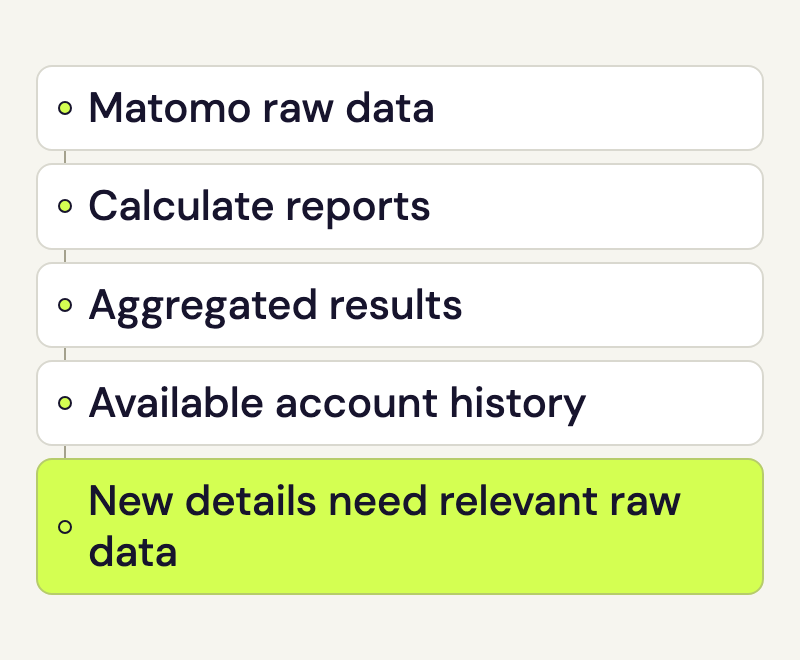
An older Matomo report may still show visit totals after the detailed tracking data for that period has been deleted. Raw data, calculated reports and the date range available to your account serve different purposes.
Distinguish Matomo raw data from reports
Raw data contains the recorded visits and actions from which Matomo calculates analytics. Reports contain aggregated results, such as page views per URL for a day. The available report window determines which dates your speo account may request.
An existing report does not automatically retain every original detail. A page-view total, for example, cannot reconstruct the full sequence of actions in individual visits.
Check the date range for Matomo raw data and reports
In the portal, open Reports and select the relevant website. Use From and To to choose the period. speo checks the request against the confirmed history available to your account. The available date range applies to both the customer portal and the full Matomo interface.
If speo rejects a period, first check the website, date fields and, where shown, the selected analytics source. A disallowed date range is different from an allowed report with no recorded visits.
The retention rule agreed for your account applies. Ask Rocketsky to confirm the raw-data retention and available reporting period if you need those details for your work. An older website brought into speo may have a different data history from a newly created account.
Use reports after Matomo raw data has been deleted
Reports calculated earlier may remain available. A new analysis of an earlier period needs its underlying data.
Suppose you have an old overall report and later want to know how many visits from a particular campaign used mobile devices. The overall total does not answer that combination. Rocketsky needs to check whether the relevant report was already calculated or the required raw data is still available.
Changing a measurement definition cannot create earlier events either. If a button only started sending an event after an update, that change does not produce event values for the preceding period. The Matomo events guide explains how to define a measurement.
Separate access limits, deletion and backups
A date outside the available window does not by itself prove that its raw data or report archives have been physically deleted. Conversely, an accessible aggregate report can remain after its old raw data has gone.
Backups have their own lifecycle. Deletion from the running analytics system therefore does not demonstrate immediate removal from every backup. For a specific answer, give Rocketsky the affected website and date range so the applicable retention and backup rules can be checked.
A report export keeps the selected result for your later work. It does not contain the complete underlying data for arbitrary new analyses. Keep exported files according to your own purpose for using them.
Investigate a missing older report
Note the account name, website, requested dates and specific report. Also say whether the selection is rejected, the report is empty or an earlier export shows a different figure. These cases need different checks.
Rocketsky can then inspect the access window, stored data and report processing separately. Changes to shared deletion or archiving settings are handled by the operator. The monthly hit allowance is separate from retention; Visits, actions and hits explains its reference period.