Measure contact enquiries as goals in Matomo
Matomo goals measure successful contact form submissions. Choose the success signal, test its trigger and interpret the conversion rate correctly.
Content checked on 08.11.2026
At a glance
The success signal follows confirmed submission. Clicking the send button alone is insufficient.
In this article
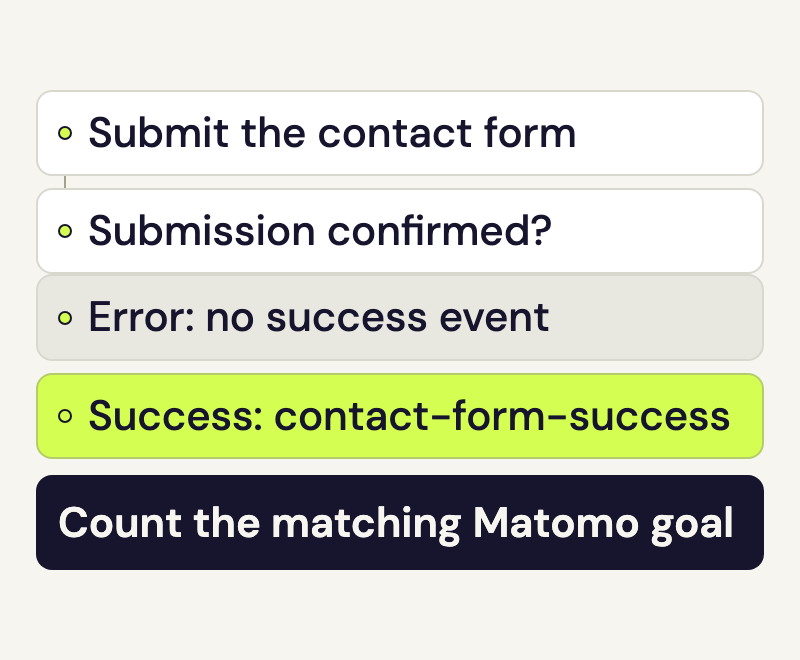
A click on “Send” does not prove that a contact enquiry was submitted. A Matomo goal should respond to the form’s confirmed success signal. You can then analyse the visits in which an enquiry was accepted.
Define success for Matomo goals
In this example, the Contact enquiry sent goal is reached when the form successfully accepts the enquiry. A missing required field, failed submission or simply opening the form does not meet that condition.
The measurement confirms the website’s technical success signal. To check whether the message reaches the correct inbox or later becomes a project, use your mailbox or customer-management system.
Choose the signal with your website maintainer
For a form that stays on the same page after submission, your maintainer adds an event to the form’s confirmed success callback. A normal click handler on the submit button is insufficient.
We use these fixed labels:
- Category:
contact - Action:
submitted - Name:
contact-form-success
The event is sent once for each confirmed submission. Keep names, email addresses and message text out of these fields. The events guide explains the measurement call using the existing Matomo integration. For a form, the trigger must be its actual success signal.
A thank-you page is another option. Its page view must reliably indicate a successful enquiry. A freely accessible confirmation URL can produce conversions without a form submission. Check that case before setup and choose one clear trigger for the goal.
Have Matomo goals configured for the contact form
Open Help in your speo account and provide the website, form URL and success signal agreed with your maintainer. For this event example, Rocketsky configures an automatic goal that exactly matches the event name contact-form-success.
Your regular speo access reads the report. Rocketsky creates the goal with the required permissions. If the form integration and goal condition do not match, seeing an event alone does not confirm a goal conversion.
For this example, agree on at most one conversion per visit. Several successful enquiries during the same visit will then not increase the goal counter several times. If you need to count every enquiry, explicitly agree on multiple conversions before setup. Record any change to the counting rule for later comparisons.
Test success, failure and reloading
Use a browser profile where you are not signed into WordPress as an administrator and tracking has the permission required on that website. Consent and opt-out settings apply to this measurement too.
- Submit the form with a required field missing. It should show a form error without sending a success event.
- Send an agreed test enquiry successfully. Your maintainer checks that exactly one event with the chosen labels is sent.
- Reload the page without submitting another enquiry. This must not produce another success event.
- Once the tracking data has been processed, open Goals in Matomo. Choose the same website, test date and Contact enquiry sent. Refresh the report if needed.
Note the test time and expected results with your maintainer. With one conversion allowed per visit, another event during that visit may not create another conversion. Check the event trigger and goal report separately.
Read Matomo goals in the report
Select All visits for this comparison. For our goal counted once per visit, the conversion rate then shows the share of recorded visits with a confirmed goal conversion. Its denominator also includes visits where the form was never viewed. With a different segment, the rate concerns the visits included in that selection.
Compare the count and rate over suitable periods with an unchanged measurement definition. If the test conversion is missing, first check the success event, then the exact event name in the goal condition. If tracking itself is missing, start with Check Matomo tracking.